
McDonald’s fast-food chain has a dedicated application that allows customers to order food and stay updated with the menu. Therefore, you can download this application from the Play Store or Apple Store on your smartphone. Upon installing the application, you should register or sign up for this application.
Download McDonald’s App


Requirements to use McDonald’s App
So, there are specific terms and conditions for registering on this application.
You must be at least 18 years old to sign up for the McDonald’s application. Then, you can use this application to order food or check the menu.
What McDonald’s App has to offer?
The McDonald’s app has multiple features that really improve the user experience and allow users to learn more about this fast food chain.
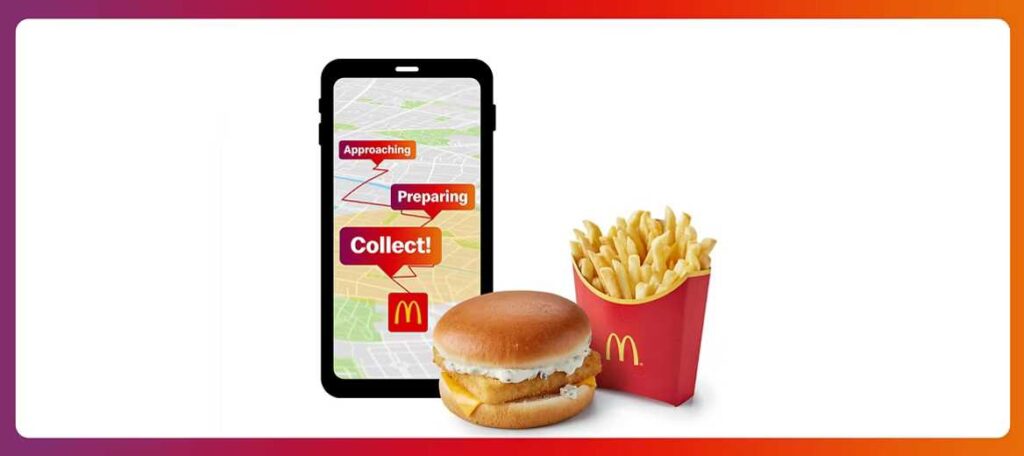
Get to know the Latest offers:
After signing in to the application, you can learn about the latest offers like My McDonald’s Rewards and McDonald’s Monday. Moreover, this section also guides you to the limited-time offer items on the McDonald’s menu. Currently, McCrispy Deluxe, BBQ Quarter Pounder with Cheese, Double BBQ Quarter Pounder with Cheese, Galaxy Chocolate McFlurry, Galaxy Salted Caramel McFlurry, The Caesar and Bacon Crispy/Grilled Wrap, Cheesy Garlic Bites, and Iced Latte are among the limited Time offers currently going on the McDonald’s UK Menu.
McDelivery Option for ordering your food:
The best feature of the McDonald’s app is ordering food at your doorstep. Therefore, this application is a significant part of this fast-food chain, which helps consumers get their food to their homes through various Delivery partners.
This app provides the option of ordering food through its official McDelivery service and with partners like Uber Eats, Just Eat, and Deliveroo.
Stay Updated with the Latest Menu:
The McDonald’s app provides the latest McDonalds menu information. If the fast food chain adds or removes an item, you can check this application and stay updated.
McDonald’s Branch Locator to find out your nearby Branch
McDonald’s app will also help you locate the nearest branch of this fast food chain. However, you can do it by turning on your current location. So, this application will quickly note your location and show the nearby McDonald’s branches where you can go or order from them.
Furthermore, you can find the nearby branches by entering the postcode or area name in the search bar. This app will show you a list of all the branches of this fast-food chain in that postcode area.
Easy & Multiple Payment Options:
Furthermore, you can pay the amount from this app when you make an online order through the application. So, you need to attach your wallet to this app, and whenever you order from this fast food chain, you can directly pay through this app.
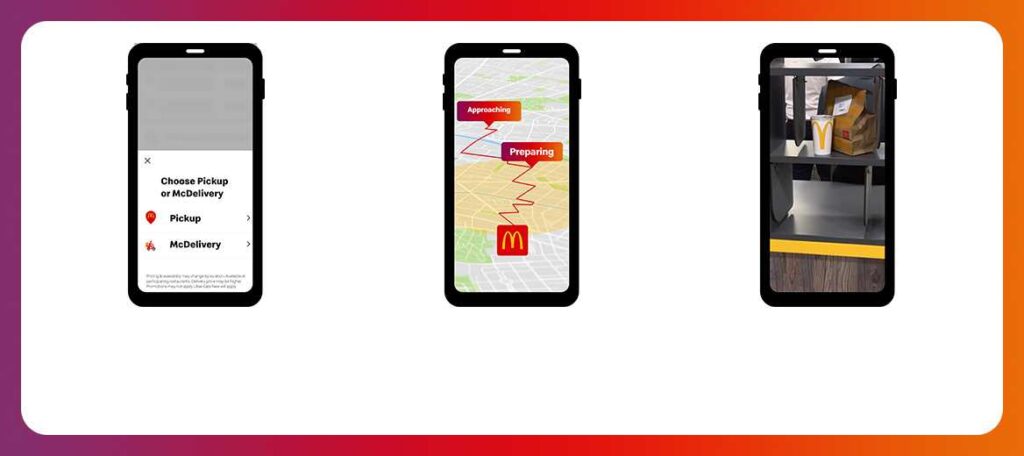
How to order McDelivery using the McDonald’s App?
In your McDonald’s app, you can quickly locate the McDelivery option.
- When you open this app, you enter the address where you want to receive your order.
- Upon clicking the “McDelivery” Option, you will see multiple options for food delivery, from which you must select your preferred option.
- After selecting the delivery partners from Uber Eats, Just Eat, Deliveroo, and McDonald’s official delivery service, you can move to the menu section.
- Select your favourite food item and click on the “Add to Bag” option to proceed with ordering food.
- Similarly, you can select each item and keep adding them to the bag. Once you are done selecting your items, you need to click on “Checkout Now.”
- Here, you can see the subtotal of the amount you will pay for the order alongside the total calories of the food items you have added to the bag.
- Add your credit or debit card details to pay for the order, and then click on “Place Order” to complete the order.
How do you use the McDonald’s app to collect your order from Drive Thru?
After ordering your food, you can use the McDonald’s app to select the Collect via Drive Thru option.
- This app constantly monitors your location. When you are near the branch, it delivers the message to the kitchen staff, who start preparing your food.
- Once you are just 50-100 meters from the McDonald’s branch, the restaurant’s system will automatically analyze your location, prompt you to make the payment, and inform us about your preferred method of order collection.
- If the McDonald’s app hasn’t analyzed your location for any reason, you can manually click the “I’m here” button to notify the restaurant of your presence.
- If the previous steps do not resolve the issue, you can contact a staff member and provide them with the 4-digit check-in code shown on the error page. Then, you can get your order from the drive-thru.
- So, after checking in and completing verification, you need to collect your order from the drive-thru after paying your bill.
How can I change my McDonald’s app password?
You should click the “Main Menu” option and select the “Profile” option in your McDonald’s app. After this, you should tap on “Personal Settings” and click on “Change Password.”
Now, enter your previous password and your updated password. Then click on confirm, and your password will be changed.
How to delete my account from this app?
The process of deleting the account is simple; you need to follow the steps below.
- Open the McDonald’s app and look for the “More Menu” option.
- After clicking on this option, you should select the “Profile” option.
- Next, tap the “Delete Account” option; your account will be deleted after confirmation.
In addition, You should keep in mind that once you delete your account, it will delete all your Reward Points, Your Terms and conditions agreement, Your Payment information, and your starred or Favourite items info. Therefore, you will be able to recover them afterward.
How can I add or remove my payment card from this McDonald’s app?
You can add or remove your payment card from the McDonald’s app. However, it is essential to know that your card is not attached to McDonald’s but to the banking network of this fast food chain. For adding or removing it,
- First, open the McDonald’s app and tap the “More Menu” Option.
- Next, look for the “Profile” option and click on it. Here, go to the “Payment Method” option.
- Now, you can add the debit or credit card number and 3-digit CVC number to attach your card. But if you have already connected your account, click the “Edit” option.
- Next, you will see the “Delete Account” button. Tap on it to delete your card information and payment method from this application.
Most Common Errors
Error 11310 is showing up on my screen.
This error occurs if you register with the wrong email address or social account. Therefore, you must register with the correct email address and password or your authorized social account.
Error: 41490
Error 41490 occurs when you try to register for the McDonald’s app with a new account but already have a registered account on that device’s IP address. Therefore, you must log in with your previous registered email account.
Error: 30202
On the other hand, Error 30202 occurs when your payment process is halted due to insufficient balance or any technical issues in your banking system. Therefore, you must change your payment method or wait for the technical problem to be solved.
Error: 11310
You may encounter this error if you log into the app with incorrect credentials that have not been registered.
Error: 316410
If you encounter this error, it typically means you have entered the wrong credentials, such as a password or Username.
If you have forgotten your password, you can access your account by clicking on the “Forgot Password” option. Next, you have to enter your registered Email Address, and you will receive an email to reset your password.
Error: 41474
This error happens when you already have an account with the McDonald’s app and register with a new email or contact information. McDonald’s only allows one account on a device registered with only one phone number or email address at a time.
Frequently Asked Questions
No, someone else cannot collect the food if you order it through your phone. The person who orders the food has to verify his phone’s physical location while ordering the food and receiving it. Furthermore, if you have ordered from your phone and do not take that phone while picking up your order, you will be served with your order.
McDonald’s UK accepts payment methods like PayPal, Google Pay, and Apple Pay. So, you can choose whatever method to pay for your order. However, the fast food chain does not accept AMEX Cards for payment purposes.
Before ordering food from the nearby McDonald’s branch, you should ensure whether that branch is delivering food. If that branch is delivering food, check all the delivery partners to verify whether they provide food at your preferred location. You can enter your location into those delivery partners’ apps or websites. If they deliver food, you can see that McDonald’s branch on the app or website.
Due to the high traffic on the website, it becomes quite difficult to handle the customers. Serving a lot of customers can delay the process of confirming and preparing food, so your order may take longer than you expect.